



Help Center › Famnest basics
Coming soon

Send handwritten postcards from Famnest

Soon you’ll be able to write and send real handwritten-style postcards straight from the Famnest app — for birthdays, thank-yous, or just to say you’re thinking of someone.

COMING SOON

A thoughtful way to stay connected

Handwritten postcards are on the way. You’ll be able to compose a message in Famnest, choose a design, and have a real postcard printed and mailed — all without leaving the app.

This is a feature we’re actively building. It’s not available yet, but it’s coming.

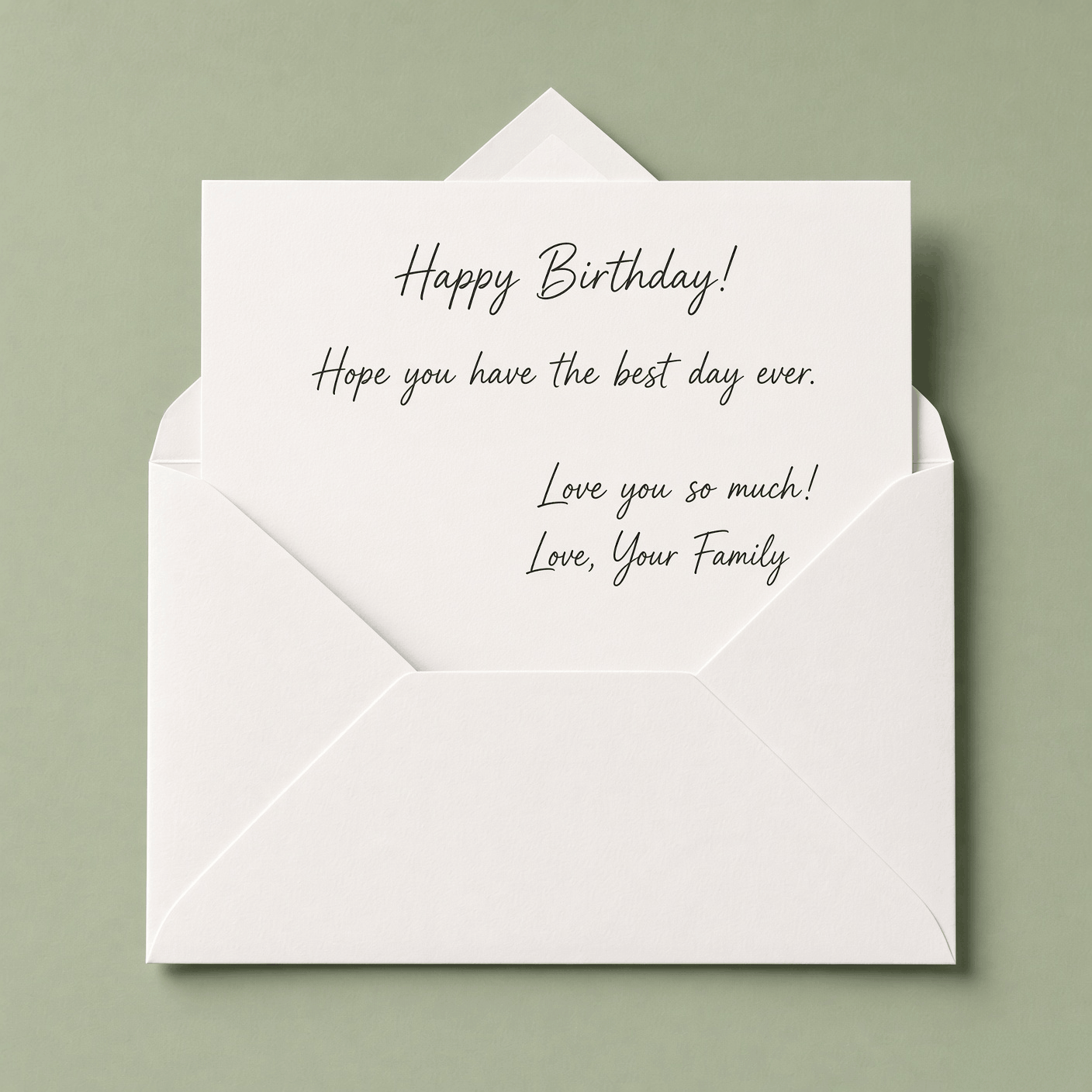
Example of a handwritten birthday postcard from Famnest

WHAT TO EXPECT

Send a postcard in a few taps

When the feature launches, sending a postcard will feel as natural as adding an event or a note.

  1. 1
    Open the Postcards section

    Go to Postcards inside Famnest.

  2. 2
    Write your message

    Type a note. Famnest will turn it into beautiful handwritten-style lettering.

  3. 3
    Choose a design

    Pick a card style that fits the occasion.

  4. 4
    Add the recipient

    Enter the address or select someone from your family.

  5. 5
    Send it

    Confirm and send. We’ll print and mail the postcard for you.

STAY TUNED

We’ll let you know when it’s ready

Handwritten postcards are coming soon to Famnest. Keep an eye on the app and your email — we’ll announce the moment you can start sending them.

GIVE FEEDBACK

Was this resource helpful?

Famnest
Famnest
★★★★★ 4.8
Get App